Tender 1: Set up the tender document
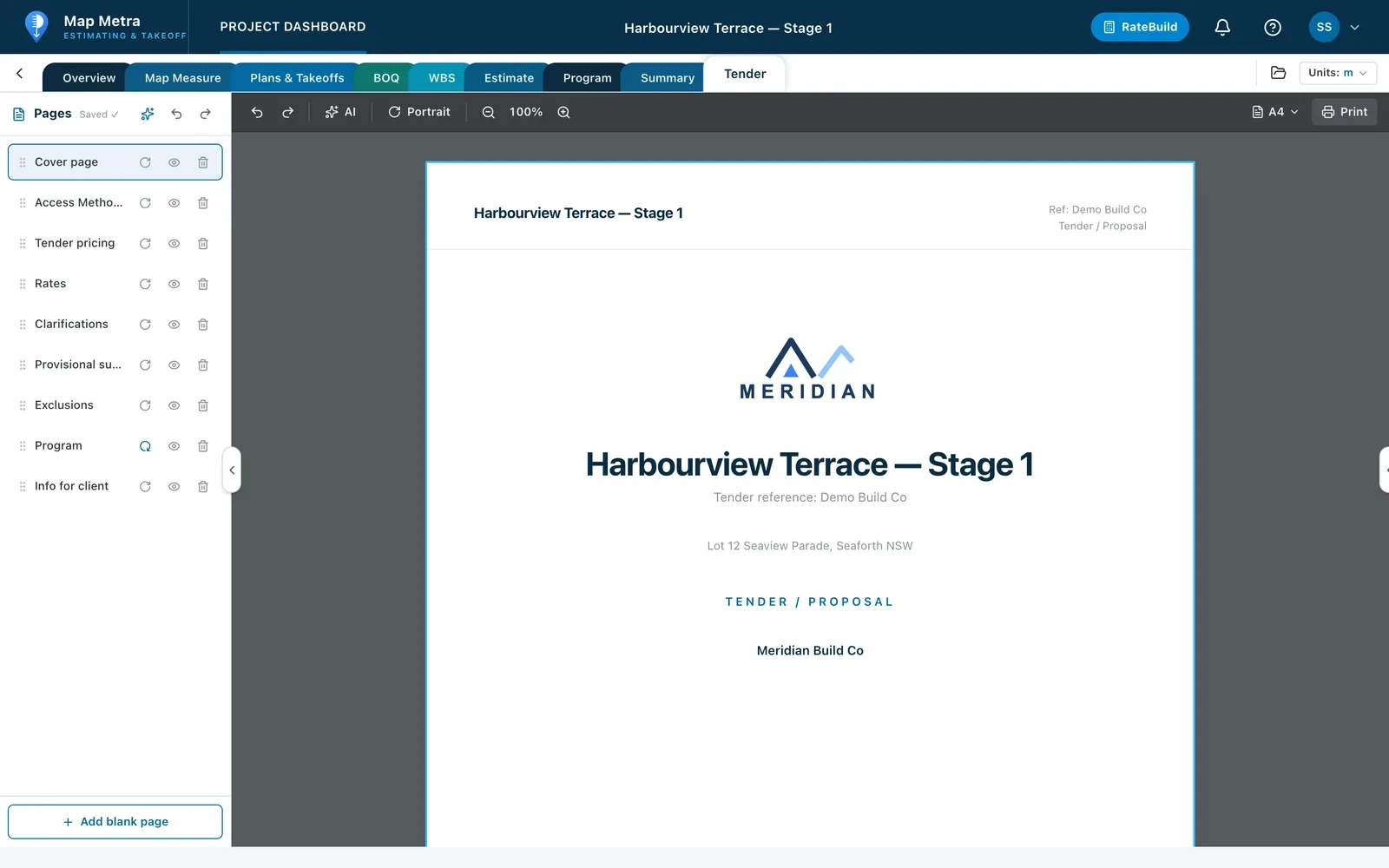
The Tender tab is a page-based document builder. This video covers the structure of the document before any pricing goes in.
 Video coming soon
How to
- 1
Organise the pages
In the Pages navigator, add, rename, reorder or hide pages — cover, scope, pricing, program, clarifications, exclusions and insurances.
- 2
Apply your branding
Set your company profile and tender branding from the account menu so every tender carries your logo and details.
- 3
Use templates
Save a page or document as a template and apply it to the next tender.
- 4
Format and lay out
Use the Edit page inspector for fonts, styles and spacing, and set paper size and orientation per page or for all pages.